Problems with my 2 year old laptop

Bill Walker

Well-Known Member
Joined
24 Dec 2006
Messages
34,726
Location
Down under
Team supported
City
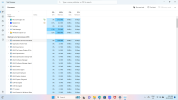
I have an Asus vivobook, about 2 years old. It performed an update yesterday and since then the fan is constantly running. I looked at the CPU usage it was low between 1 & 4%, the vents look clean, can't see any dust. I adjusted power levels to see it that stopped it, still running and I noticed sites were slow to load and it's become a bit "sticky" when scrolling.
I don't have much on it so I did a reset yesterday thinking it could be a virus.
It's exactly the same today. Still slow to load up even the settings page.

Edition Windows 11 Home
Version 22H2
Installed on ‎28/‎01/‎2024
OS build 22621.3007
Experience Windows Feature Experience Pack 1000.22681.1000.0


Any idea's anybody ?
 
I have an Asus vivobook, about 2 years old. It performed an update yesterday and since then the fan is constantly running. I looked at the CPU usage it was low between 1 & 4%, the vents look clean, can't see any dust. I adjusted power levels to see it that stopped it, still running and I noticed sites were slow to load and it's become a bit "sticky" when scrolling.
I don't have much on it so I did a reset yesterday thinking it could be a virus.
It's exactly the same today. Still slow to load up even the settings page.

Edition Windows 11 Home
Version 22H2
Installed on ‎28/‎01/‎2024
OS build 22621.3007
Experience Windows Feature Experience Pack 1000.22681.1000.0


Any idea's anybody ?
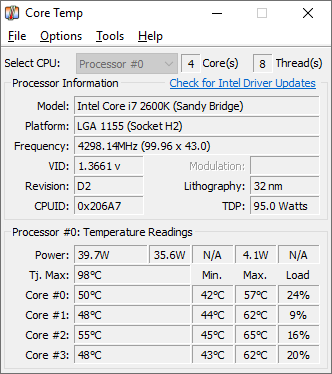
What are your CPU temps mate?
 
Sounds like you need the 23h2 version to give it a bit of kicking rather than the 22h2?
Though with the ‘slowness’ on web, it might be something more malicious, try downloading the free version of ‘malwarebytes’ and run a scan (nb uninstall it afterwards, or ensure its not running via settings all the time).
I’d also uninstall any software you don’t use on the laptop that it may have come installed with.
 
Don't know how to see temps mate, I open task manager and it doesn't show temps

Fans usually ramp up to keep your machine cool, there can also be 2 fans keeping the CPU and GPU cool independently of each other.


It's safe takes a minute to download and shows your CPU temp, there are others but IMHO this is the easies to read.

Leave a you tube video going in the background while you run it, your next step is checking your PWM fan speeds in the bios.
 
Sounds like you need the 23h2 version to give it a bit of kicking rather than the 22h2?
Though with the ‘slowness’ on web, it might be something more malicious, try downloading the free version of ‘malwarebytes’ and run a scan (nb uninstall it afterwards, or ensure its not running via settings all the time).
I’d also uninstall any software you don’t use on the laptop that it may have come installed with.

It'd take a lot for a modern machine (I am assuming that it's modern) for it to get a fan ramp up with just a background process, the update seems like it could legitimately solve the issue.

If his CPU temp is under control then by definition it has to be something else, it could be a GPU driver if he has a discrete one on board.
 
I clicked on install latest update but nothing seems to be happening, even though it said updates are available.

Unless it's doing it in the background

Just give it time mate, some of these updates can take ages.

The next job will be addressing your fan speeds in the bios if the update doesn't solve anything.

Let's hope this update solves it, it has every chance.
 
Just give it time mate, some of these updates can take ages.

The next job will be addressing your fan speeds in the bios if the update doesn't solve anything.

Let's hope this update solves it, it has every chance.
Thanks

I guess because I did a reset it will need a big update ???
4%
 
Thanks

I guess because I did a reset it will need a big update ???

Some updates are an actual full operating systems that keep your files and settings, so yes mate they can be big.

It can look stuck at times even after it reboots just give it time mate.
 
Just give it time mate, some of these updates can take ages.

The next job will be addressing your fan speeds in the bios if the update doesn't solve anything.

Let's hope this update solves it, it has every chance.
Bios...
Is that a Greek Island?
 

Don't have an account? Register now and see fewer ads!

SIGN UP
Back
Top