
You are using an out of date browser. It may not display this or other websites correctly.
You should upgrade or use an alternative browser.
You should upgrade or use an alternative browser.
Defraging
- Thread starter stony
- Start date
squirtyflower
Well-Known Member
stony said:I'm trying to defrag my computer but it gets to about 14% and stops, telling me some files couldn't be moved. I'm running XP pro.
Why won't it finish defraging ?
There's your problem mate
squirtyflower said:stony said:I'm trying to defrag my computer but it gets to about 14% and stops, telling me some files couldn't be moved. I'm running XP pro.
Why won't it finish defraging ?
There's your problem mate
It normally says that after it's finished drefraging, it doesn't usually stop at the start and tell me it can't do it.
balkanno
Well-Known Member
Don t defrag it.
Carver
Well-Known Member
Are you on a network, even wireless broadband at home? Take the cable out/ turn off the wireless signal or wireless router, whichever's least inconvenient.
TCIB
Well-Known Member
Try using perfectdisk.
glen quagmire
Well-Known Member
Why is it angry? Also, i thought 7 was where it was at.
Windows xp? Are you poor or something?
Windows xp? Are you poor or something?
balkanno
Well-Known Member
glen quagmire said:Why is it angry? Also, i thought 7 was where it was at.
Windows xp? Are you poor or something?
It s a mod/admin thing, take a look at this screenshot Ric sent me.
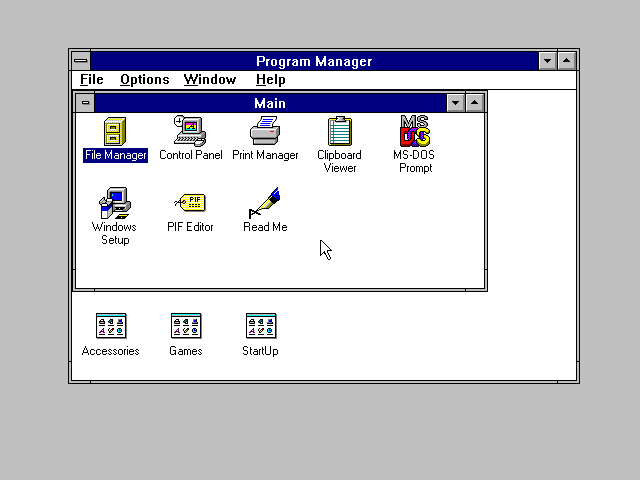
This is the reason i don t won t to be a moderator. Tho, stony is pretty updated.
balkanno
Well-Known Member
Stony, get this if you can.
<a class="postlink" href="http://disk-defragmenter-software-review.toptenreviews.com/diskeeper-professional-review.html" onclick="window.open(this.href);return false;">http://disk-defragmenter-software-revie ... eview.html</a>
<a class="postlink" href="http://disk-defragmenter-software-review.toptenreviews.com/diskeeper-professional-review.html" onclick="window.open(this.href);return false;">http://disk-defragmenter-software-revie ... eview.html</a>
bluegonads
Well-Known Member
balkanno said:Don t defrag it.
is the best solution.
I know it a bit of an old thread now but if your still having issues try starting the machine in safe mode and then disconnect and network cables, wireless connections, usb modems. then disable your anti-virus and try running the defrag again.
The reason for removing your network connections is because you will be disabling your AV. AV can stop a defrag along with other services and power saving options that are running. Starting in safe mode should leave most of these services disabled.
HTH
Mark.
The reason for removing your network connections is because you will be disabling your AV. AV can stop a defrag along with other services and power saving options that are running. Starting in safe mode should leave most of these services disabled.
HTH
Mark.