Thank you , soory to be a pest how do I delete BM cookies?
Make sure your OS is up to date the clear your cookies for BM

Make sure your OS is up to date the clear your cookies for BM
Thank you mate, will pass it on.
If you have windows 10 you don’t need any proprietary antimalware software, windows defender is more than adequate, just ensure you make sure you upgrade the OS to windows 11, by October 2025 because updates to windows 10 end then.If you have Windows 10 you don’t need any proprietary software Windows Defender is more than adequate just ensure you make sure you update the OS whenever one is available
If using Chrome, then go to chrome://settings/content/all?searchSubpage=bluemoon and hit the trashcan icon. Close down any open BM pages first. That will remove all BM related data so just log back in after.Thank you , soory to be a pest how do I delete BM cookies?
 support.google.com
Thank you for your help, but since the Mcafee warining has gone away, so has the scrolling problem.If using Chrome, then go to chrome://settings/content/all?searchSubpage=bluemoon and hit the trashcan icon. Close down any open BM pages first. That will remove all BM related data so just log back in after.
(I think that link should work2nd thoughts, try copy & pasting that line), if not it's:-
- On your computer, open Chrome.
- At the top right, select Settings .
- Select Privacy and security. Third-party cookies.
- Select See all site data and permissions.
- At the top right, search for the website's name (just Bluemoon will do).
- To the right of the site, select Delete .
- To confirm, select Delete.
Delete, allow and manage cookies in Chrome - Computer - Google Chrome Help
You can choose to delete existing cookies, allow or block third-party cookies and set preferences for certain websites. Understand cookies Cookies are files created by websites that you visit. By sa
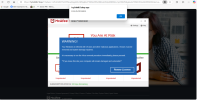
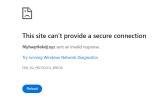
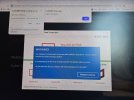
Try a 'clear browsing history, for all time' and then restart the PC.I have had a warning saying that my McAfee subscription is running out. I have never had it so obviously a scam.
On another note, I will need a new PC soon as it is so old and cannot be updated to the latest windows. However, which is the best Microsoft Office to purchase as I have always bought it outright in the past.
It's a free open source office suite that does everything that MS Office can. If you definitely don't need MS for work purposes say (LibreOffice may still suit even then) then have a look.Not heard of that