
Privacy notice

Safari:

To clear cookies for a single site in iOS Safari, go to Settings > Safari > Advanced > Website Data, wait for the list to load, search for the site, then swipe left on it and tap Delete. This removes stored data for that specific website without clearing your entire browser history or logging you out of other sites
 
Think I accidentally accepted that!! Can I reverse it?

No idea because I never except anything before reading it! And that photo only shows a few there is absolutely loads of them down that page! It’s ridicules what they want you to consent too!
 
If you click “Accept all” (or indeed “Reject all”) it should remember your preferences and not ask you again. If not, try clearing your cookies for Bluemoon.

I can’t replicate the issue on my phone, so not sure what exactly is causing it. Will get onto the ad company first thing though. Apologies for any inconvenience.

I do I’ve rejected all loads and I’ve made sure none is ticked pressed save&exit as well, still keeps popping up! What browser you on?
 
I do I’ve rejected all loads and I’ve made sure none is ticked pressed save&exit as well, still keeps popping up! What browser you on?
Safari on phone, and Chrome on PC. Have you deleted your cookies for Bluemoon?
 
Safari:

To clear cookies for a single site in iOS Safari, go to Settings > Safari > Advanced > Website Data, wait for the list to load, search for the site, then swipe left on it and tap Delete. This removes stored data for that specific website without clearing your entire browser history or logging you out of other sites

Ok just done that m, see now if it keeps popping up!
 
Ok just done that m, see now if it keeps popping up!
I’ve just done that too. No ads appearing mid page, but still getting asked to accept/reject the 1717 partners.

(Edit. Though it’s not happening every time!)
 
Last edited:
Safari:

To clear cookies for a single site in iOS Safari, go to Settings > Safari > Advanced > Website Data, wait for the list to load, search for the site, then swipe left on it and tap Delete. This removes stored data for that specific website without clearing your entire browser history or logging you out of other sites

I use opera on my iPhone 16 and done all that still keeps popping up!
 
Had this issue on chrome on my android phone for the last couple of days. Not on the pc though at all, even if using the same browser.

To clear cookies for one specific website and not them all, go to bluemoon in chrome or your browser, click on the page info (in chrome android this is the icon next to the website address that looks like two sperms swimming in opposite directions, yeah no idea why Google chose that), tap cookies and site data, then the trash can.

You have to log back in to bluemoon and it will ask you again about cookies and sending push notifications, reject the cookies and say never to push notifications, or whatever your preference is, and it should remember.

Sorry, but not a fan of any website collecting more info than necessary. Always remember, we value your privacy actually means we monetise your privacy.

*Edit* didn't work for me. Still getting the message on my android on Chrome. Seems to pop up after every time I lock my phone and then unlock again, even if I navigate to the open page on bluemoon.
 
Last edited:
Cleared cookies still popping up
Bit stumped with this at the moment. Have installed Opera on my iPhone and still can't replicate the issue. Does it happen on Safari on your phone too? Hopefully the ad company can shed more light, still waiting to hear back from them.
 
It was the reason I went to the pay option tbh but in all honesty that didn't fully stop it but it was less frequent.

It is now saying reject all but I had to open up the preferences box, but again it still just keeps coming back and clearing my cache has never fixed anything ever, bar logging me out of every site I use lol
I pay for Ad free but I've never had an Ad since on here, you shouldn't be getting any. The consent pop-up is a different issue and isn't affected by being Ad free.

Ha ha password nightmare that's why I've not gone down that route
A decent password manager is your saviour, I use Bitwarden free on desktop and on mobile and it's excellent. You just need an initial 4 digit pin to unlock the vault to log into all saved accounts.

You can just clear your cookies for Bluemoon only, rather than deleting them for every site! Just Google it depending on which browser you’re using.
It didn't clear it for me yesterday (a full clear) but oddly it has gone this morning (so far).
 
Bit stumped with this at the moment. Have installed Opera on my iPhone and still can't replicate the issue. Does it happen on Safari on your phone too? Hopefully the ad company can shed more light, still waiting to hear back from them.
I’ve not had it today so far mate.
 
Bit stumped with this at the moment. Have installed Opera on my iPhone and still can't replicate the issue. Does it happen on Safari on your phone too? Hopefully the ad company can shed more light, still waiting to hear back from them.

just come on now and it’s not popped up so fingers crossed if carries on I’ll just keep pressing reject all and carry on!
 
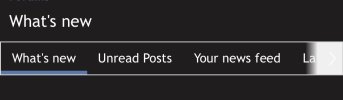
I only come on and go on unread posts but pots on the others at top there! Oh just popped up again! When come on here it’s this page that open up and what I want!
 

Attachments

  • IMG_3146.jpeg
    IMG_3146.jpeg
    33.6 KB · Views: 7

Don't have an account? Register now and see fewer ads!

SIGN UP
Back
Top