remember arthur mann
Well-Known Member
I think the yanks has taken over bluemoon.

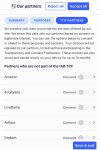
Each time I log on, I get this padlock about cookies, it’s getting on my goat a bit, anything I can do to stop it please?The padlock should disappear when you scroll back up. Seems unnecessary for it to still appear even after you've accepted the privacy settings though. I'll check with the ad provider.
Each time I log on, I get this padlock about cookies, it’s getting on my goat a bit, anything I can do to stop it please?
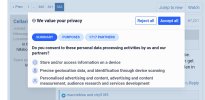
Think I accidentally accepted that!! Can I reverse it?What’s this! I don’t want to agree to all! And it keeps popping up!
Clear cache and press reject the next time it pops up in the next minute or so.Think I accidentally accepted that!! Can I reverse it?
You can change your preferences at any time by clicking the Change Consent link in the footer.Think I accidentally accepted that!! Can I reverse it?
Ha ha password nightmare that's why I've not gone down that routeIt was the reason I went to the pay option tbh but in all honesty that didn't fully stop it but it was less frequent.
It is now saying reject all but I had to open up the preferences box, but again it still just keeps coming back and clearing my cache has never fixed anything ever, bar logging me out of every site I use lol
And me