Wordle

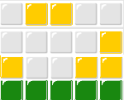
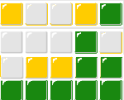
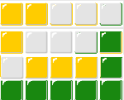
Wordle 603 4/6
Wordle 603.png

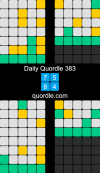
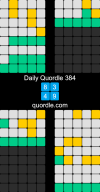
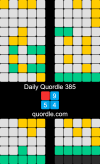
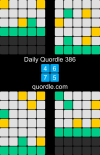
quordle-daily-384.png
Thought I'd try for a 6 but nearly failed altogether.
 
Last edited:
How do you post the results on here?

This is a genuine question.

I do both wordl and quordle every day on my I phone and post on here on my I pad.

I don’t have a laptop.

Any help or step by step guide would be appreciated.

Thank you.

 
I normally attempt Wordle & Quordle on my iPad sometime in the early hours of the morning to try and help me get back to sleep!

Quordle is relatively straight forward, I use the share image button on Quordle and then email it to myself. Next day I can then save the attached png file on my Linux pc. I use Gimp to shrink it down to 300 pixels wide and add it as an image to Bluemoon. It is possible to load the Xgimp app in the iPad but I don’t seem to be able to understand the file structure on the iPad to make the XGimp do anything useful on my iPad.

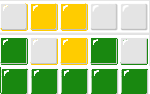
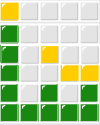
Wordle takes a bit more effort but once set up only takes about 5-10 minutes to prepare. Again I email the image to myself using this time the share button. Then I have made up a template in Gimp on the pc and bucket fill the squares yellow or green to match the the image on the email. I export as .png file which I can insert into Bluemoon.

I’m sure there must be a more straightforward way!
 
How do you post the results on here?

This is a genuine question.

I do both wordl and quordle every day on my I phone and post on here on my I pad.

I don’t have a laptop.

Any help or step by step guide would be appreciated.

Thank you.
I just use the share feature that pops up when I finish. Always on my phone (Android).


It's "copy" on Quordle.
Screenshot_20230215-041443_Chrome.jpg


And "Share", then copy URL, then paste for Wordle. For me , at least.
Screenshot_20230215-041654_Chrome.jpg
 

Attachments

  • Screenshot_20230215-041443_Chrome.jpg
    Screenshot_20230215-041443_Chrome.jpg
    547.4 KB · Views: 0
Last edited:

Don't have an account? Register now and see fewer ads!

SIGN UP
Back
Top