
Slow process on Blue Moon

Big Swifty

Well-Known Member
Joined
8 Nov 2011
Messages
4,484
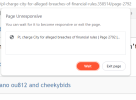
Whatever forum I go on, it takes ages to move from one thread or post to another. If I want to click on a thread, it tkes the best part of a miute to wait for it to come up, then when I want to go on to the next page, or the previous one, It takes ages again to move on,

It is not my laptop, as it works fine with any other website I am on. It's just on Bluemoon that it's so slow as to be almost unusable. What's going on?
 
Whatever forum I go on, it takes ages to move from one thread or post to another. If I want to click on a thread, it tkes the best part of a miute to wait for it to come up, then when I want to go on to the next page, or the previous one, It takes ages again to move on,

It is not my laptop, as it works fine with any other website I am on. It's just on Bluemoon that it's so slow as to be almost unusable. What's going on?

Can I check what browser you're using? Have you tried clearing your cookies?
 
Whatever forum I go on, it takes ages to move from one thread or post to another. If I want to click on a thread, it tkes the best part of a miute to wait for it to come up, then when I want to go on to the next page, or the previous one, It takes ages again to move on,

It is not my laptop, as it works fine with any other website I am on. It's just on Bluemoon that it's so slow as to be almost unusable. What's going on?

Had you been annoying the mods in the run up to this slowdown?
 
Periodically (more often than not) Running really slow for me on ipad and laptop browser (chrome). Have to wait ages for a page to become responsive and am getting aw snap messages and then it reloads.

Been like this for a week
 
Periodically (more often than not) Running really slow for me on ipad and laptop browser (chrome). Have to wait ages for a page to become responsive and am getting aw snap messages and then it reloads.

Been like this for a week
That's usually an advert not loading, have you tried clearing cache & cookies for all time?
 
I keep getting page freeze Using Chrome on Windows 10 all up to date I just close the tab as nothing responds, other tabs are fine
 
First thing is clear the page cache by pressing <CTRL> + F5. Clearing all your internet cache and so on is better but you need an app.

Apologies to Ric for idly poking around in none of my business, but I've been getting a lot of slowdown when using my mobile in recent weeks on most sites, so I am watching page sizes etc.

Thus I noticed it's 3.8 Megabytes to load this page. IMDB movie page, with all those images and features, is 5.8. BBC homepage is 3.8 and that is also stacked with images.

Here's what I've dug up idly - the biggest file is "styles/default/xenforo/add_to_home.gif". 2.2MB. Wow. Digging around I found a post from 2 weeks ago by a techy on their forum proudly boasting that they are about to replace it with a new image, and this one is an actual video.

My thought; 2.2 mb is a lot, GIFs are a scourge in general when it comes to page loading and rendering times. And it definitely downloaded to my (logged in) Firefox on Win 11, when there's seemingly no reason for it to do so. Isn't that gif only relevant to Iphones? I certainly have never seen it, in all my years on mobile and windows.
 
My Android has been freezing lately. A right pain in the bum. I try to select a link but when it unfreezes takes me to another link close to the one I want.
 
I haven't so will give it go a good idea as I have extensions active in Chrome and it could be one of those
I suspect that won't make a blind bit of difference as I use Brave and the only extension added on is Lastpass password manager. The last time I tried it without shields up it seemed to be the following that was causing the freeze.

Untitled (1).png
 

Don't have an account? Register now and see fewer ads!

SIGN UP
Back
Top